> For the complete documentation index, see [llms.txt](https://knowledge.carbon.show/llms.txt). Markdown versions of documentation pages are available by appending `.md` to page URLs; this page is available as [Markdown](https://knowledge.carbon.show/carbon-for-unreal/settings-and-tips/unreal-engine-settings.md).
# Unreal Engine Settings
We've accumulated a number of settings that work well with Carbon Projects.
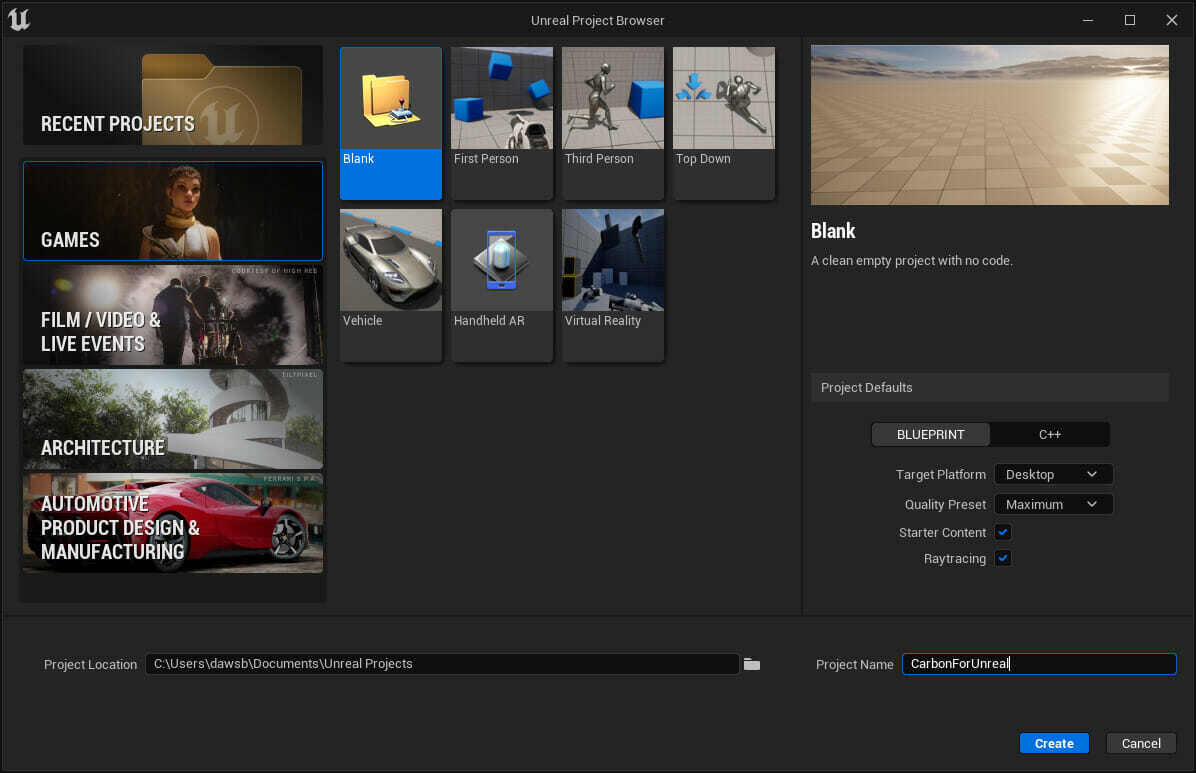
## **Initial Project Settings**
* Game-Blank-Blueprint-Raytracing On
## **Editor Settings**
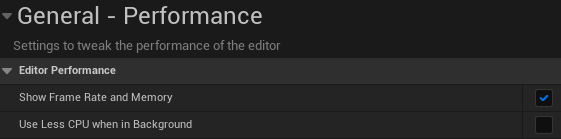
### **Performance**
* Show Frame Rate and Memory. Enable
* Use Less CPU when in Background, Disable.
## **Project Settings**
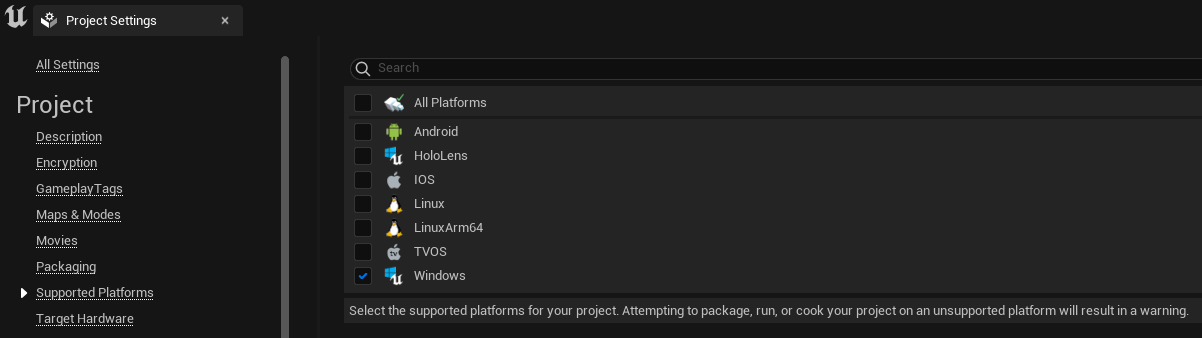
### **Supported Platforms**
* Disable all but Windows 64-bit (reduces shader permutations)
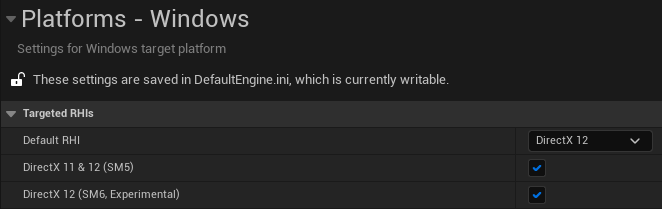
### **Platforms - Windows**
* Default RHI- DirectX 12
### **Engine - Rendering**
* Support Hardware Ray Tracing, Enable
* Allow Static Lighting, uncheck (unless you intend to bake lighting)
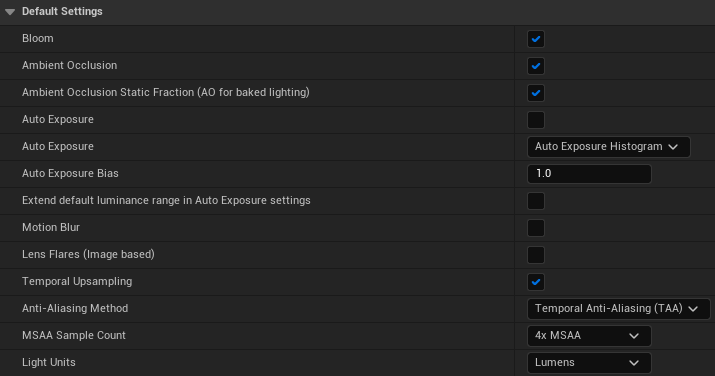
* Auto Exposure, Disable
* Motion Blur, Disable
* Anti-Aliasing Method - Temporal Anti-Aliasing (TAA)
* Light Units - Lumens
### **Engine - General Settings**
* Use Fixed Framerate, uncheck unless using for XR Productions. Follow advice from XR plugin otherwise.
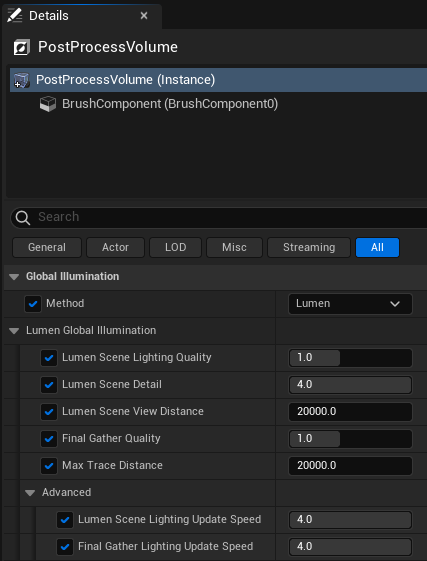
### Post Process Volume Settings
**Lumen Global Illumination:**
* Lumen Scene Detail - 4
* Lumen Scene Lighting Update Speed - 4
* Final Gather Lighting Update Speed - 4